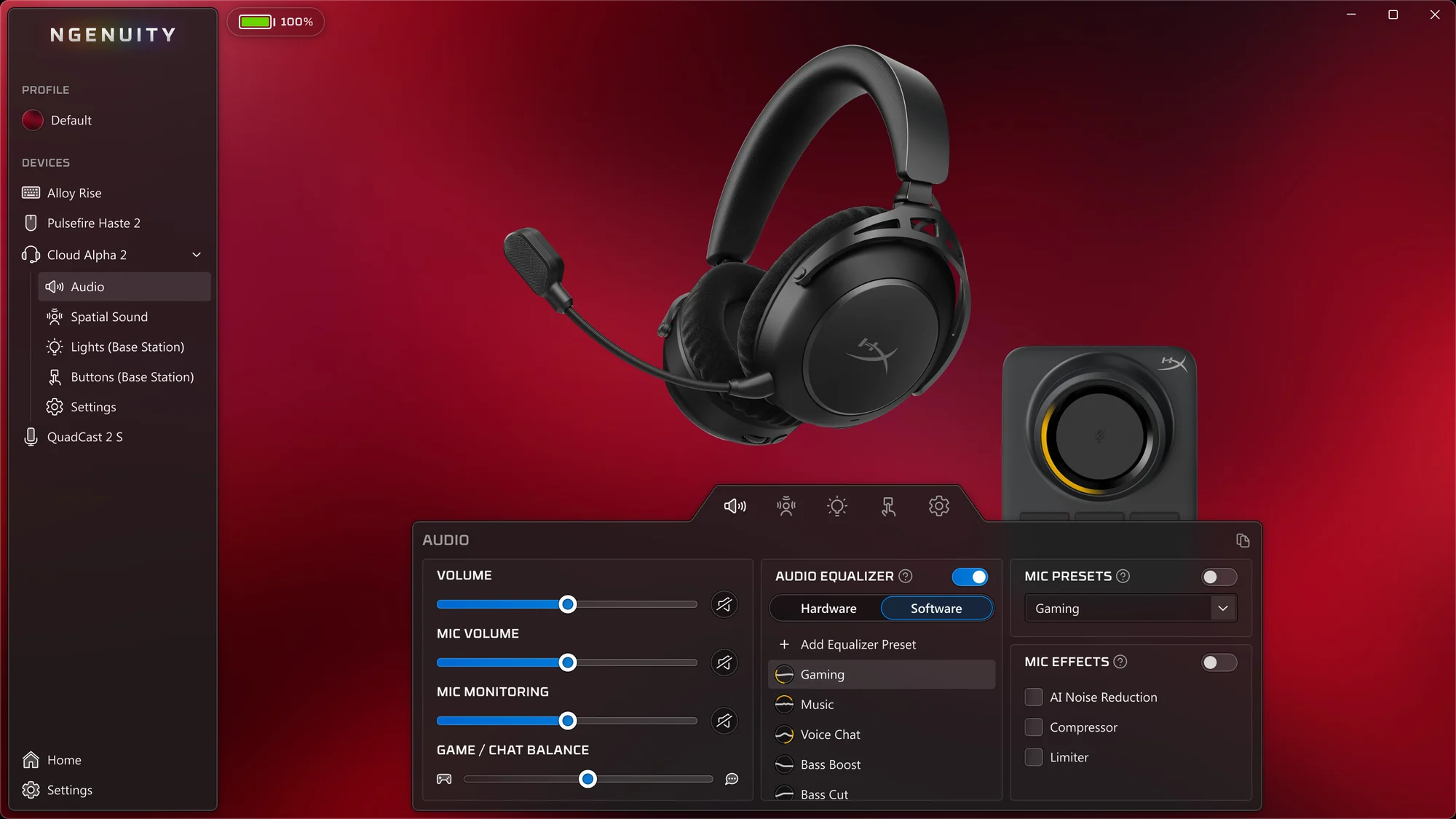
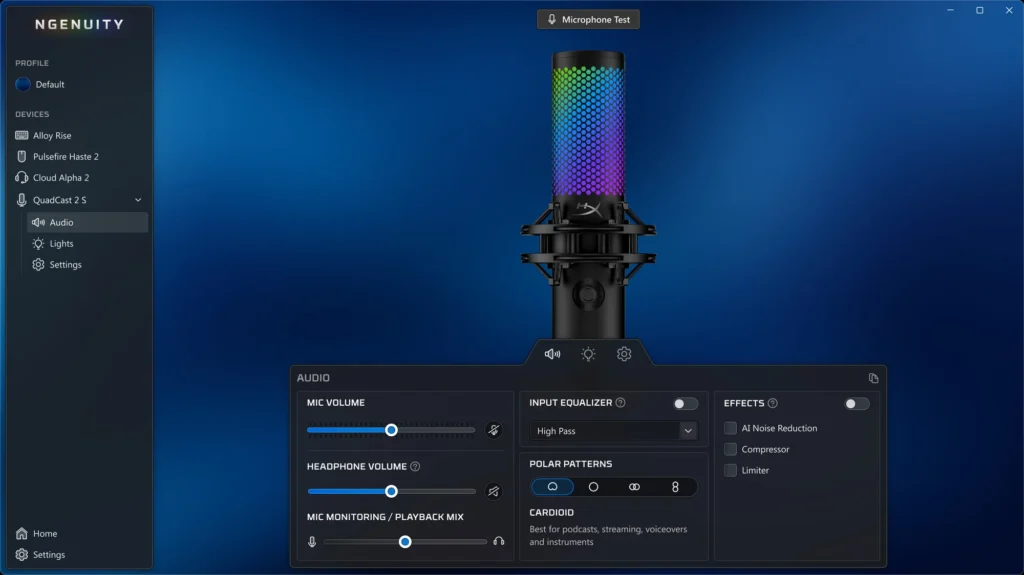
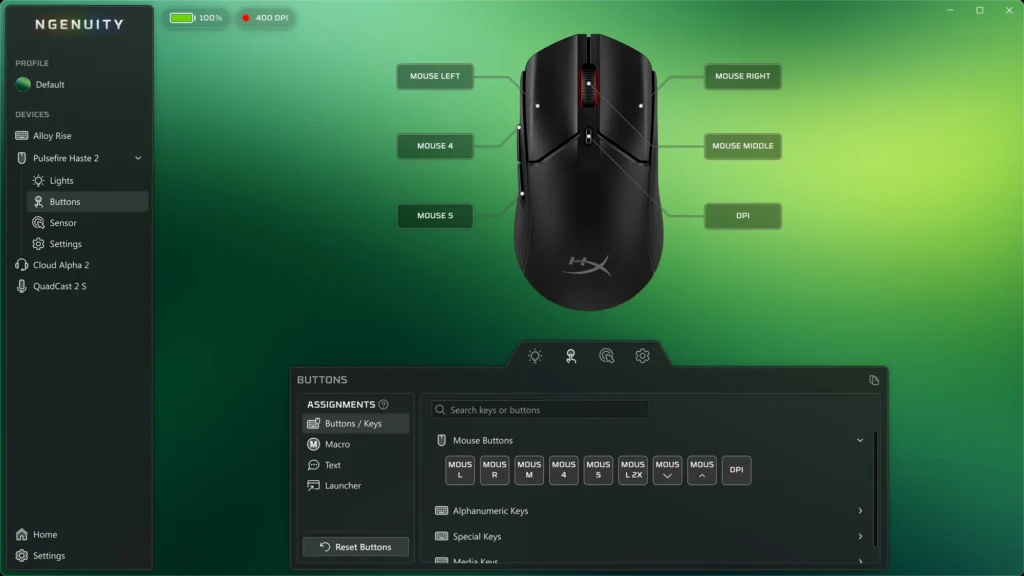
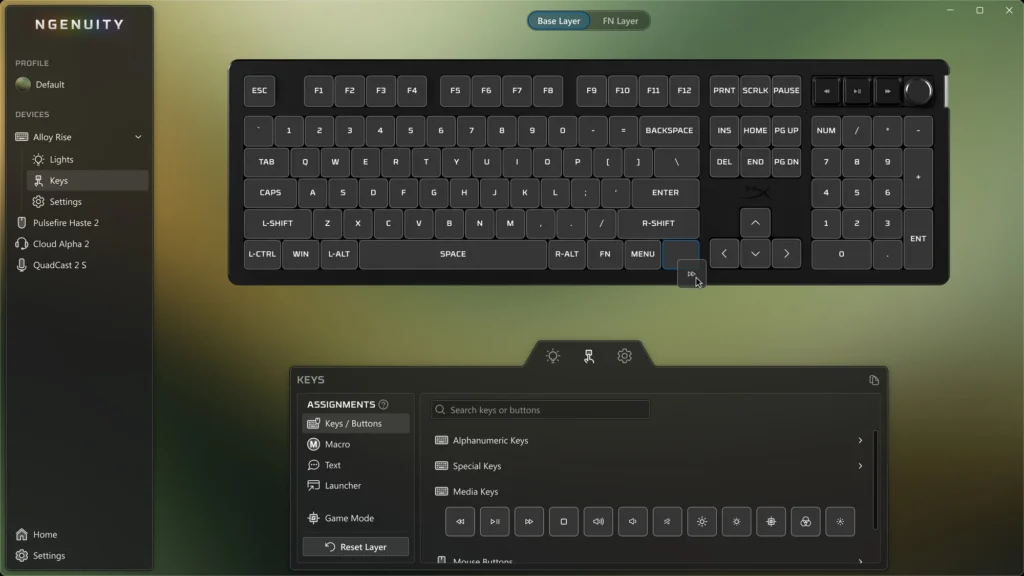
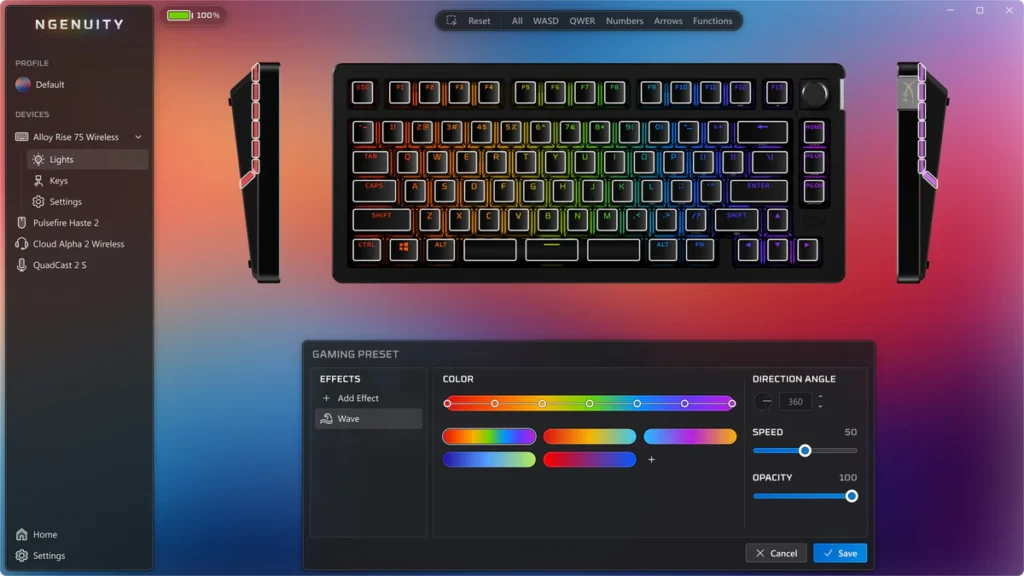
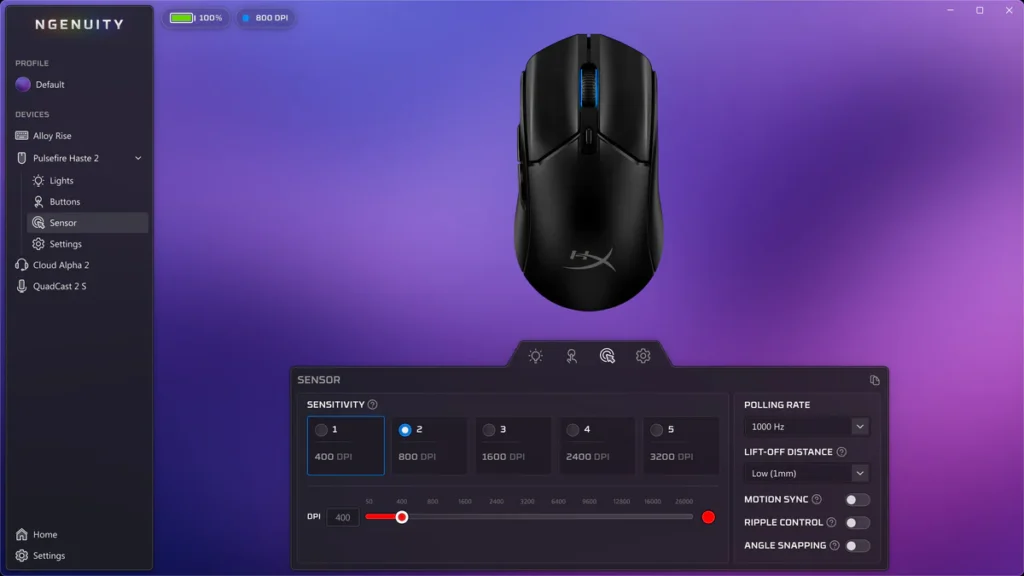
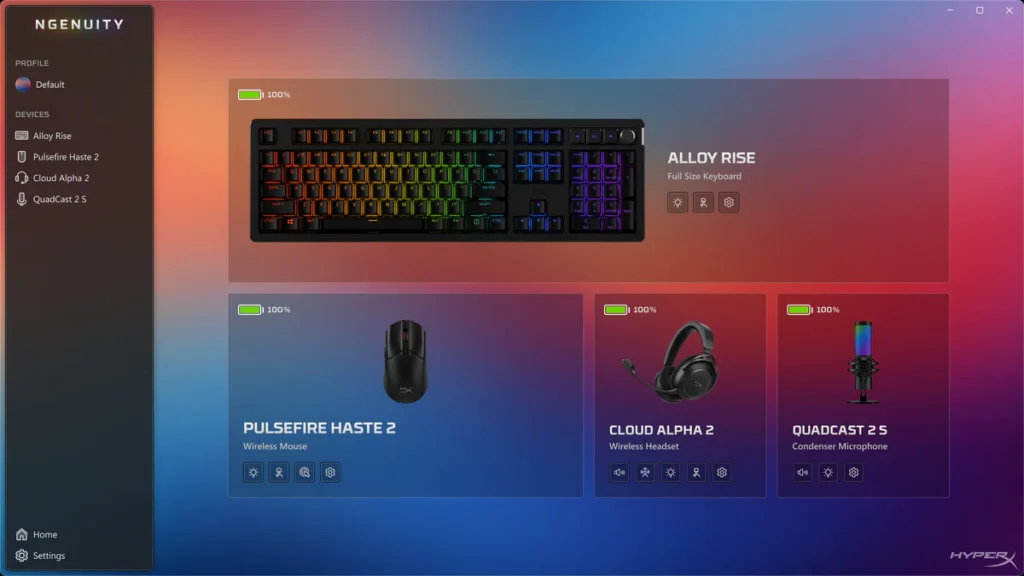
SAY HELLO to the new NGENUITY.
The new HyperX NGENUITY is all about you and the way you like to play. When paired with compatible products, you’ll be able to unlock customization tools in a clean, intuitive interface designed for effortless control. The software is still a work in progress, but we’re excited to show you what we have in store.
Downloads
*NGENUITY and NGENUITY Legacy are currently only available on Windows operating systems.
Harness Professional-Grade Audio Tools
Find the sound that works for you with quick, intuitive settings that let you adjust your mic and playback settings in no time. Why stop there? Our new HyperX audio engine allows for even deeper, pro-level controls.
Custom Macros & Key Bindings
Streamline your workflow and your gameplay by creating custom macros to trigger multiple actions with a single button or key.
Dynamic RGB Lighting Control
Personalize your setup with our built-in effects or create your own mood-lighting masterpiece. Curating the perfect vibe has never been easier.
Precision Performance Tuning
Fine-tune your mouse’s sensor settings to match your style of play, giving you smoother control and sharper reactions when it matters most.
Designed For Simplicity. Built For Power.
We rebuilt NGENUITY to make sure that all your controls are housed within a clean, modern user interface that feels as good as it looks. While our dashboard feature isn’t available just yet, we couldn’t wait to show a little of what we’ve got in store for future updates.
NGENUITY FAQs
What’s the difference between NGENUITY Legacy and NGENUITY?
Great question! NGENUITY Legacy (2020-2025) is our soon-to-be legacy version of HyperX software, while the new NGENUITY (2025) is the latest iteration of HyperX software. Let’s break it down even further:
NGENUITY (2020–2025)
- Current version, will be replaced by NGENUITY once it is officially released
- Compatible with all NGENUITY-enabled HyperX devices released before August 2025
- Compatible with Instant Pair
- Will have limited support and maintenance after August 2025
- Set feature list
NGENUITY (2025)
- Newest version, will replace NGENUITY once it is officially released
- Compatible with HyperX devices released after August 2025, as well as many older products. See below for more detailed information
- Not yet compatible with Instant Pair
- Will receive continued support and updates
- Tons of features in development
Why did you guys name it the same thing?
We know, it’s a little weird, but we’ve grown pretty attached to the name over the years. It represents our commitment to making creative and innovative products and experiences for gamers, with a gentle reminder for us to not take ourselves too seriously.
Where can I download NGENUITY?
NGENUITY is available for download at the top of this very page! NGENUITY Legacy (2020-2025) is available for download at the top of this page, as well as on the Microsoft Store for Windows 10/11.
Does NGENUITY work on macOS or Linux?
Currently, NGENUITY is only available for Windows. If you’re also a macOS, Linux, or console user, you can still benefit from specific limited features by using a product that has onboard memory profiles. However, you’ll need a Windows computer to customize and save changes onto the device’s onboard profile.
What products are compatible with NGENUITY?
NGENUITY currently supports:
Headsets
- Cloud III S Wireless
- Cloud Alpha 2 Wireless
- Cloud Flight 2 Wireless
- Cloud III
- Cloud III Wireless
Keyboards
- Alloy Rise
- Alloy Rise 75
- Alloy Rise 75 Wireless
- Origins 2 Pro 65
- Origins 2 65
- Origins 2 1800
- Eve 1800
Mice
- Pulsefire Saga
- Pulsefire Haste 2 S Wireless
- Pulsefire Haste 2 – wired
- Pulsefire Haste 2 Pro 4k Wireless
- Pulsefire Saga Pro Wireless
Microphones
- FlipCast
- SoloCast 2
- QuadCast 2 S
What products are compatible with NGENUITY Legacy (2020-2025)?
NGENUITY Legacy (2020–2025) supports:
Headsets
- Cloud Flight S
- Cloud Alpha S
- Cloud Stinger S
- Cloud II Wireless
- Cloud II Wireless DTS
- Cloud II Core Wireless
- Cloud MIX Buds
- Cloud Stinger S
- Cloud Stinger Core + 7.1
- Cloud Stinger Core Wireless + 7.1
- Cloud Stinger 2 Wireless
- Cloud Alpha Wireless
- Cloud III Wireless
- Cloud III Wired
- Cloud Flight Wireless
- Cloud Flight 2 Wireless
- Cloud MIX Buds 2
- Cloud MIX 2
- Cloud III S Wireless
Keyboards
- Alloy Elite RGB
- Alloy FPS RGB
- Alloy Origins
- Alloy Origins Core
- Alloy Elite 2
- Alloy Origins 60
- Alloy Origins 65
- Alloy MKW100
- Alloy Rise
- Alloy Rise 75
- Alloy Rise 75 Wireless
Mice
- Pulsefire Surge
- Pulsefire Raid
- Pulsefire Core
- Pulsefire FPS Pro
- Pulsefire Dart
- Pulsefire Haste
- Pulsefire Haste Wireless
- Pulsefire Haste 2
- Pulsefire Haste 2 Wired
- Pulsefire Haste 2 Mini Wireless
- Pulsefire Haste 2 Core Wireless
- Pulsefire Haste 2 S Wireless
- Pulsefire Fuse Wireless
- Pulsefire Haste 2 Pro
Microphones
- SoloCast
- DuoCast
- QuadCast S
- QuadCast 2
- QuadCast 2 S
Monitors
- Armada 25
- Armada 27
Mousepads
- FURY Ultra
- Pulsefire Mat
Webcam
- Vision S
Why isn’t my device showing up?
Try the following steps:
- Check that your device is compatible with the version of NGENUITY you’re using
- Check for available firmware updates
- Use a different USB port
- Reinstall the NGENUITY app
If your device still isn’t showing up after all that, reach out to our Care team for troubleshooting help. Keep in mind that a lot of our older devices are not yet compatible with NGENUITY (2025). Many of our newer devices (and everything launching in August 2025 and later) will not be compatible with NGENUITY Legacy (2020–2025).
Why is my software missing features?
NGENUITY is still in active development, so not all the features are fully implemented yet. We’re working hard to get everything up and running for you, so stay tuned for future updates!
Where can I get product support?
We’re always happy to help with any questions you might have. You can reach our Care Teams here.
Can I use NGENUITY with Omen Gaming Hub?
Of course! Just make sure to only use one of the two apps for RGB lighting to avoid conflicts.
Additional FAQs
Is there a standalone firmware updater for my Cloud Alpha 2 wireless?
Where can I leave feedback or request a feature?
We’d love to hear any thoughts you have on NGENUITY! You can give us your feedback here.
What is Instant Pair?
Good question! Instant Pair allows for seamless wireless gaming, no dongles required. Find out more here: https://hyperx.com/pages/instant-pair
What products are compatible with Instant Pair?
Currently, the following products are compatible with Instant Pair functionality:
2 gaming notebooks support 1:2 connectivity:
- OMEN Transcend 14 (2025 version)
- OMEN MAX 16 (2025 version)
1 gaming notebook supports 1:1 connectivity:
- HyperX OMEN MAX 16 (2026)
2 headsets support Instant Pair:
- Cloud III S Wireless
- Cloud Flight 2 Wireless
2 mice support instant pair for 1:2 connectivity:
- Pulsefire Saga Pro
- Pulsefire Haste 2 Pro
More products will be supported in the future!
Can I use my custom lighting with Instant Pair?
Not at the moment! (Bummer, we know.) We’re actively working to solve this issue. Please stay tuned.
What should I do if Instant Pair fails?
Don’t fret! If Instant Pair fails, you can reset Emblems via NGENUITY to re-enter pairing mode.
NGENUITY Compatible Gear
-
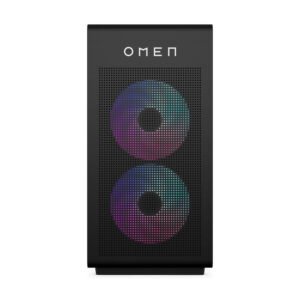
HP Home Desktop PCs
OMEN 35L Gaming Desktop GT16-0066m PC, Windows 11 Home, AMD Ryzen™ 7, 16GB RAM, 1TB SSD, NVIDIA® GeForce RTX™ 4060, Black
¥1,999.99原价为:¥1,999.99。¥1,499.99当前价格为:¥1,499.99。 选择选项 本产品有多种变体。 可在产品页面上选择这些选项 -
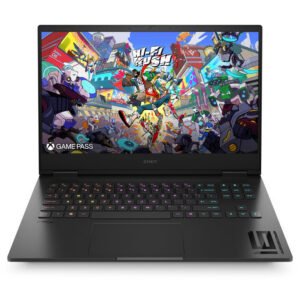
HP Home Laptop PCs
OMEN Transcend Laptop 16-u1047nr 16″, Windows 11 Home, Intel® Core™ i7, 32GB RAM, 1TB SSD, NVIDIA® GeForce RTX™ 4070, WQXGA, Shadow black
¥2,099.99 选择选项 本产品有多种变体。 可在产品页面上选择这些选项 -
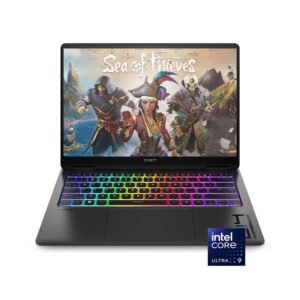
HP Home Laptop PCs
OMEN Transcend Laptop 14-fb0097nr 14″, Windows 11 Home, Intel® Core™ Ultra 9, 32GB RAM, 2TB SSD, NVIDIA® GeForce RTX™ 4070, 3K, Shadow black
¥2,249.99 选择选项 本产品有多种变体。 可在产品页面上选择这些选项 -
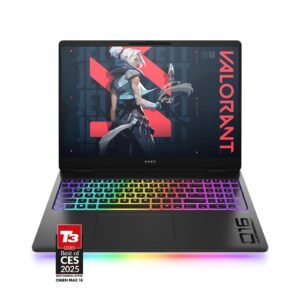
HP Home Laptop PCs
OMEN MAX Gaming Laptop 16-ah0097nr 16″, Windows 11 Home, Intel® Core™ Ultra 9, 32GB RAM, 1TB SSD, NVIDIA® GeForce RTX™ 5080, WQXGA, Shadow black
¥3,799.99原价为:¥3,799.99。¥2,799.99当前价格为:¥2,799.99。 选择选项 本产品有多种变体。 可在产品页面上选择这些选项